Reference

zw777 App — Your Lobby, Your Phone

The zw777 mobile experience runs directly through your phone browser — no file to hunt for, no store listing to wait on.

Mobile browser accessFull lobby on phoneDevice compatibility checkAccount login requiredAvailability by eligible region
zw777 zw777 App — Your Lobby, Your Phone
DEVICE AND BROWSER CHECK

Compatibility: What Works and What to Verify

Most modern smartphones handle the zw777 mobile lobby without any issues. The checklist below covers the key areas to confirm before your first mobile session — especially if you are on an older handset or a data-limited connection.

zw777 Browser Requirement

Browser Requirement

Chrome, Safari and Firefox in their current stable releases are confirmed working. Older or niche browsers may show layout breaks on live-table pages.

zw777 Screen Layout

Screen Layout

The lobby is built for portrait mode on phones and landscape on tablets. Rotating mid-session is supported; the layout reflows within a couple of seconds.

zw777 Account Requirement

Account Requirement

A registered and verified zw777 account is needed before any game loads. Account creation is done through the same browser session — no separate app needed.

SPEED AND CONVENIENCE

Four Things the Mobile Build Does Well

These are the day-to-day touches that make mobile use feel different from a desktop session — small things that add up when you're moving between games or checking a live result.

Fingerprint Login Supported Android and iOS handsets let you skip the password entirely. One touch authenticates your account and drops you straight into the lobby.
Push Notifications Opt in through your browser settings and we send alerts when a live table you've visited opens a seat or a crash round goes live.
Dark Mode Display The interface adapts to your phone's display preference. Dark mode reduces glare during late-session play and keeps the table graphics sharp on AMOLED screens.
Offline Lobby Preview A cached lobby snapshot loads on a weak connection so you can browse game tiles and plan your session before the full data loads.
zw777 What the zw777 Mobile Experience Delivers

What the zw777 Mobile Experience Delivers

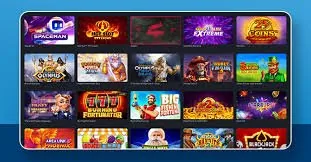
Pull up slots like Gates of Olympus or Crash Smoke the moment you have a free minute. The mobile layout keeps live casino tables — including Baccarat JetSet and Dragon Tiger — fully playable without resizing or scrolling around awkwardly. Your betslip for cricket and PSL markets travels with you in the same session. Quick-deposit shortcuts let you send funds through JazzCash

or Easypaisa without leaving the lobby. Push notifications alert you when a table seat opens or a round you follow is live. Fingerprint login removes the password step entirely on supported handsets, so getting back into your account is a single tap.

zw777 Mobile Access in 3 Steps

Mobile Access in 3 Steps

Getting into the zw777 lobby on your phone takes less than a minute. There is no APK to sideload and no app-store listing to search — everything runs in the browser you already have. Step one: open your mobile browser and navigate to zw777. Step two: check that your browser is a current version of Chrome, Safari or Firefox — older builds

may not render the live-table stream correctly, so a quick version check in your browser settings saves frustration. Step three: sign in with your account credentials or use fingerprint login if your device supports it. The lobby will scale to your screen automatically, whether you are on a mid-range Android handset or an iOS device.

  • Open zw777 — Type the address directly into your mobile browser. No redirect, no app store — the site loads as your starting point.
  • Check Browser Version — Current Chrome, Safari or Firefox builds are needed for live-table streaming. Go to your browser settings and confirm you are on the latest release.
  • Sign In Securely — Enter your credentials or use fingerprint login on supported devices. An OTP may be sent to your registered number as a verification step.
  • Browse the Full Lobby — Once inside, slots, live tables and cricket betting markets are all one tap away. The layout adjusts to your screen size without extra steps.

zw777 App — Frequently Asked Questions

These are the questions we hear most from Pakistan players about getting the zw777 mobile experience set up and running smoothly.

zw777 currently runs through your mobile browser rather than a store listing. Open zw777 in Chrome or Safari and the full lobby is available without any download.

Yes. The deposit flow in the mobile lobby includes JazzCash, Easypaisa and Raast. Tap the wallet section, select your method, and follow the on-screen confirmation steps.

Fingerprint login works on handsets where the browser has permission to access the device biometric sensor. Check your browser permissions if the option does not appear at login.

Live table streams work on a current browser with a stable 4G or Wi-Fi connection. A slow or unstable signal causes buffering, so a connection check before joining a table helps.

When the site requests notification permission, tap Allow in your browser prompt. If you missed it, go to your browser site settings, find zw777, and enable notifications manually.

Access depends on local law and is available only in eligible regions where permitted. Check your region's status from the account section after logging in.
Reference

zw777 App

Service availability depends on eligible regions and local law. Users should check local rules before opening an account.

Access may be available only where local law permits.